Managing client websites across different hosting setups quickly turns into a mess.
Each platform has its own settings, tools, and quirks, which slow your team down and create avoidable mistakes.
Inconsistency makes simple tasks harder than they should be.
Updates take longer, troubleshooting becomes guesswork, and scaling your agency feels unpredictable instead of controlled.
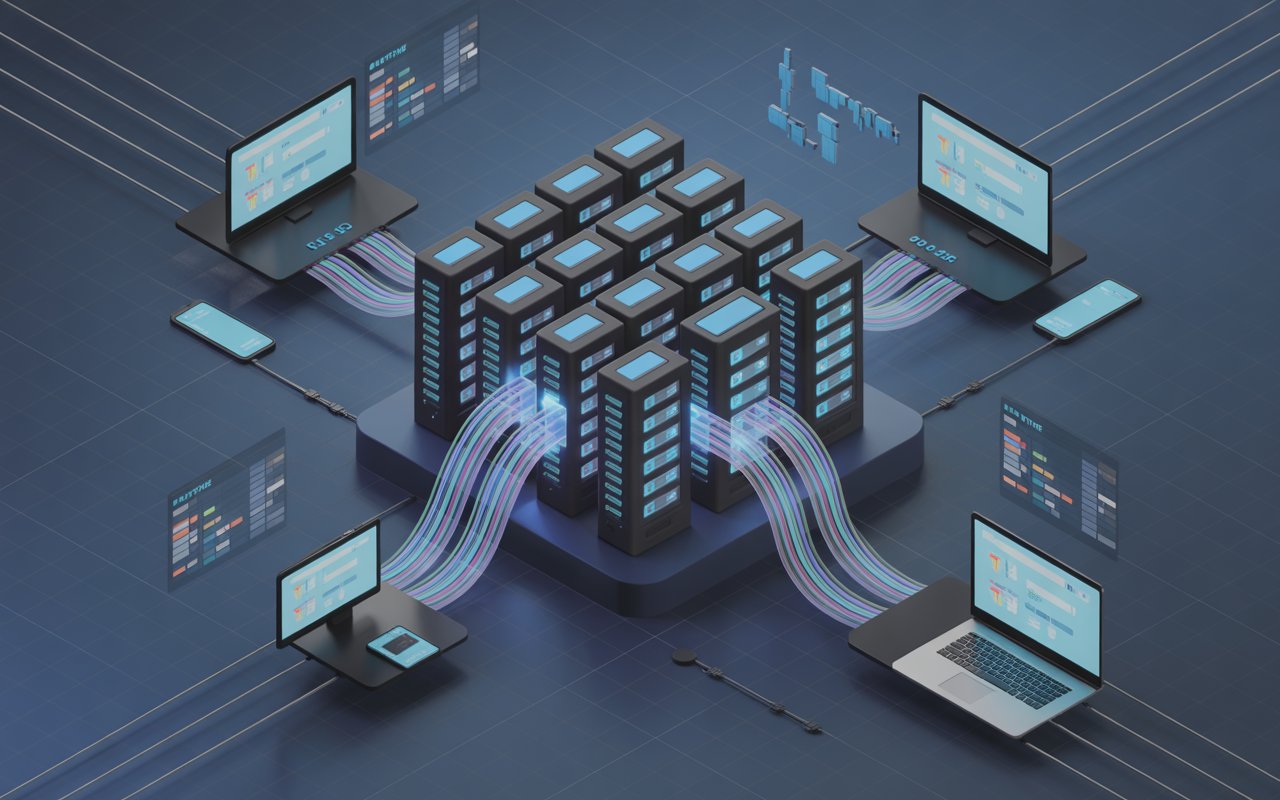
Standardized hosting fixes this. It means using the same core setup, tools, and processes across every client website, so your team knows exactly how everything works.
The result is faster workflows, stronger security, and easier maintenance. Instead of reinventing the wheel for every project, you build once and repeat with confidence.
If you’re still comparing options, check out our complete breakdown of the best hosting for agencies to make a confident decision.
What Is Hosting Standardization?
Hosting standardization means setting one clear, repeatable way to host every client website instead of mixing different providers, setups, and tools.
In simple terms, your agency chooses a “default system” and uses it every time.
A non-standardized setup looks like this: one client is on shared hosting, another on a VPS, another on a different dashboard, all with different backup methods, caching tools, and login processes.
This leads to confusion, slower work, and more room for errors. A standardized setup is the opposite.
Every site runs on the same hosting provider, uses the same server configuration, follows the same structure, and is managed with the same tools.
Your team knows exactly where everything is and how it works, no matter the client. The core of this system comes down to a few key components.
First, the provider chooses one reliable hosting platform that you use across all clients.
Second, the stack—this includes your server type, database, CMS, caching, and CDN setup.
Third, workflows—how you deploy sites, handle updates, run backups, and manage access should follow the same steps every time.
Finally, tools—use consistent dashboards, monitoring systems, and automation tools, so your team doesn’t have to relearn processes.
When all of these are aligned, your agency runs faster, makes fewer mistakes, and scales with less effort.
Why Agencies Must Standardize Hosting
Operational Efficiency
Standardizing hosting removes guesswork from your daily work.
When every client site follows the same setup, onboarding becomes much faster because your team already knows the exact steps to launch a new project.
There’s no need to figure out a new dashboard, server structure, or deployment method each time.
This consistency also cuts down troubleshooting time. When something breaks, your team isn’t starting from scratch.
They already understand the system, which makes it easier to identify and fix issues quickly.
Instead of digging through different environments, they follow a familiar process and resolve problems with confidence.
Easier Maintenance
Maintenance becomes simple when all sites are built on the same foundation.
Updates, patches, and routine checks can be done in the same way across every project, which reduces errors and saves time.
Your team can apply changes in bulk or follow a single checklist without adjusting for different setups. Centralized monitoring also becomes possible.
Instead of checking multiple platforms, you can track performance, uptime, and errors from one place.
This gives you a clear overview of all client sites and helps you catch issues early before they turn into bigger problems.
Improved Security
A standardized system makes security easier to manage and more reliable.
You can apply the same security rules across every site, including firewalls, SSL setups, backups, and access controls.
This consistency reduces the chances of missing something important.
When every site follows the same secure configuration, there are fewer weak points for attackers to exploit.
You also spend less time fixing preventable issues because your system is built with protection in mind from the start.
Scalability
Scaling your agency becomes much easier when your hosting setup is repeatable. Instead of creating a new process for every client, you follow the same proven system each time.
This allows you to take on more projects without increasing complexity or workload.
Your team can handle growth without feeling overwhelmed because the process stays consistent.
Standardization turns your operations into a system you can rely on, making it easier to grow while maintaining quality and control.
Choosing the Right Hosting Stack
Selecting a Primary Hosting Provider
Start by choosing one hosting provider your agency will use across most, if not all, client websites. This decision should be based on reliability first.
Look for strong uptime guarantees so client sites stay online without interruptions. Support quality is just as important.
When something goes wrong, you need fast, knowledgeable help, not long delays or generic replies.
Scalability matters because your clients will grow, and your hosting should handle increased traffic without needing a full rebuild.
Pricing should be predictable and sustainable, allowing you to maintain healthy margins without cutting corners. You’ll also need to choose the type of hosting that fits your agency.
Cloud hosting offers flexibility and scalability, making it a strong choice for most agencies.
Managed hosting removes a lot of technical work by handling updates, security, and performance for you, which is useful if you want simplicity.
VPS gives you more control and customization but requires more hands-on management.
The key is to pick one approach and stick with it so your team builds deep familiarity instead of spreading knowledge too thin.
Standard Tech Stack
Once your provider is set, define a standard tech stack that every site will use. This starts with the web server, such as NGINX or Apache.
Choose one and standardize it so configurations remain consistent across projects.
Next is your database. Whether you use MySQL or PostgreSQL, the goal is to keep it the same for every client to simplify management and troubleshooting.
Then comes the CMS. If your agency primarily builds with WordPress or another platform, standardizing here brings major efficiency gains.
Your team can reuse themes, plugins, and workflows instead of rebuilding from scratch.
A consistent stack reduces compatibility issues and makes it easier to train new team members because they only need to learn one system.
Performance Layer
Performance should be built into your system, not added later. Start with a CDN (Content Delivery Network) to ensure fast load times for users in different locations.
Set up one CDN solution and apply it across all client sites so performance remains consistent.
Next, define a caching strategy. This includes server-level caching, page caching, and browser caching.
When done right, caching reduces server load and speeds up websites without extra effort from your team.
By standardizing both CDN and caching, you create a reliable performance baseline that every client benefits from, without needing custom optimization for each project.
Creating Your Agency Hosting Blueprint
Define Your “Default Setup”
Your blueprint starts with a clear default setup that every project follows. This removes decision fatigue and keeps your work consistent.
Begin with server specs. Decide on standard resources like CPU, RAM, storage, and environment type so every new site launches on a proven configuration.
This ensures stable performance without overthinking each build. Next, create a consistent folder structure.
Every site should follow the same layout for files, assets, and configurations, making it easy for any team member to jump in and understand the project instantly.
Then set naming conventions for databases, environments, backups, and projects. Clear and predictable naming prevents confusion, especially as your client list grows.
When these basics are locked in, your team spends less time figuring things out and more time executing.
Build Reusable Templates
Reusable templates turn your blueprint into something practical. Instead of building each site from scratch, you create a starting point that already includes your preferred setup.
This can be a site template or starter kit with core configurations, essential plugins, security settings, and performance optimizations already in place.
Pre-configured environments take this further by allowing you to spin up a new site that is fully ready to go with minimal setup.
Your team avoids repetitive work and reduces the risk of missing important steps.
Over time, these templates improve as you refine them, making every new project faster and more reliable than the last.
Automate Deployment
Automation is what makes your system scalable. Instead of manually setting up and deploying each site, use CI/CD pipelines to handle the process for you.
This means changes can be tested, approved, and pushed live in a controlled and consistent way. It reduces human error and ensures every deployment follows the same steps.
One-click deployments take this even further by allowing your team to launch new sites or updates quickly without technical complexity.
With automation in place, your agency can handle more projects without increasing workload, because the system does the heavy lifting while your team focuses on higher-value tasks.
Migration Strategy for Existing Clients
Audit Current Hosting Setups
Start by reviewing how each client site is currently hosted. List the provider, server type, tech stack, backup method, and performance setup for every project.
This gives you a clear picture of what you’re working with. Look for inconsistencies such as different control panels, outdated configurations, or missing security measures.
These are the areas causing friction and risk. Once identified, prioritize migrations based on impact.
Focus first on sites that are slow, unstable, hard to manage, or critical to your clients’ business.
This ensures you get the biggest improvements early without overwhelming your team.
Plan Migrations Carefully
A smooth migration depends on planning, not speed. Start with a reliable backup strategy.
Take full backups of files, databases, and configurations before making any changes. Store them securely so you can quickly restore if needed.
Next, plan how to minimize downtime. This can include setting up the new environment in advance, testing it before switching, and scheduling the final move during low-traffic hours.
Clear communication with clients is also important, so they know what to expect.
A well-planned migration reduces risk and keeps your agency in control of the process.
Execute in Phases
Avoid moving everything at once. Instead, break migrations into manageable batches. Start with a small group of sites to test your process and identify any issues early.
Once the process is smooth, continue with larger batches. After each migration, run thorough testing and validation.
Check site functionality, performance, security settings, and integrations to ensure everything works as expected. Fix issues immediately before moving on.
This phased approach keeps your workload balanced, reduces mistakes, and helps you build a reliable migration system you can repeat for every client.
Standardizing Security Practices
SSL Certificates Across All Sites
Every client website should use SSL by default, with no exceptions. This ensures data is encrypted and builds trust with users.
Set up automatic SSL provisioning and renewal so certificates never expire without notice. Once configured, enforce HTTPS across all pages to prevent insecure access.
Firewall and Malware Protection
A consistent firewall setup protects all client sites from common threats like brute-force attacks and malicious traffic.
Choose one firewall solution and apply the same rules across every project so protection remains predictable and easy to manage.
Add malware scanning as part of your standard system to detect and remove harmful files early.
When both firewall and malware protection are standardized, your team doesn’t need to guess what’s in place.
They know every site follows the same security baseline, which reduces risk and simplifies management.
Regular Backups and Restore Testing
Backups are only useful if they work when you need them. Set a standard backup schedule for all sites, whether daily or real-time, depending on client needs.
Store backups in a secure, separate location to protect against data loss. Just as important, test your restore process regularly.
This ensures you can recover a site quickly without issues.
User Access Control Policies
Controlling who has access to what is a key part of security. Define clear roles and permissions for your team and clients, and apply them consistently across all sites.
Avoid giving full access unless it’s necessary. Use strong password policies and, where possible, enable two-factor authentication.
Regularly review and remove unused accounts to reduce risk.
When access control is standardized, you limit human error and keep sensitive systems protected without adding complexity.
Monitoring and Maintenance System
Uptime Monitoring Tools
Every site should be checked continuously to make sure it stays online. Use one uptime monitoring tool across all client websites so you have a single place to track availability.
This removes the need to log into different systems and gives your team a clear, real-time view of site status.
When a site goes down, you’ll know immediately instead of relying on clients to report it.
Performance Tracking
Speed and performance should be measured consistently, not guessed. Set up a standard way to track load times, server response, and key performance metrics for every site.
This helps you spot slowdowns early and fix them before they affect users.
When all sites are tracked using the same benchmarks, it becomes easier to compare performance and maintain a high standard across your portfolio.
Over time, this data also helps you improve your hosting setup based on real results.
Automated Alerts
Automated alerts keep your team informed without constant manual checks.
Set clear triggers for issues like downtime, slow performance, or server errors, and route these alerts to the right people.
This ensures problems are seen and handled quickly. Keep alerts focused and relevant so your team doesn’t ignore them due to overload.
A consistent alert system helps you stay proactive instead of reactive, which improves both reliability and client trust.
Regular Maintenance Schedule
A fixed maintenance schedule keeps all sites stable and secure.
Plan routine tasks such as updates, backup checks, performance reviews, and security scans, and apply the same schedule across every project.
This prevents small issues from building into larger problems. The result is a more reliable system that runs smoothly with less effort over time.
Documentation & SOPs (Standard Operating Procedures)
Internal Playbooks for Your Team
A standardized hosting system only works if your team knows how to use it. Internal playbooks act as the single source of truth for how your agency operates.
These documents should clearly explain your hosting setup, tools, workflows, and best practices.
When everything is written down in one place, your team doesn’t rely on memory or guesswork. This reduces mistakes and keeps work consistent, even as your team grows.
A good playbook also makes it easier to improve your system over time because updates can be shared instantly with everyone.
Step-by-Step Processes for Common Tasks
Break down recurring tasks into simple, repeatable steps.
This includes things like launching a new site, setting up domains, configuring SSL, running backups, or handling migrations.
Each process should be clear enough that any team member can follow it without confusion. This removes bottlenecks where only one person knows how to do something.
It also speeds up execution because your team isn’t figuring things out from scratch each time.
Onboarding Guides for New Developers
New team members should be able to get up to speed quickly without constant hand-holding.
Create onboarding guides that walk them through your hosting system, tools, and workflows step by step.
Show them how to access environments, follow your structure, and complete key tasks using your standard process.
This shortens the learning curve and helps new developers contribute sooner.
Tools to Support Standardization
Hosting Dashboards
A centralized dashboard lets you manage all client websites from one place, which is essential for consistency.
Tools like cPanel and Plesk are widely used for server-level management, while agency-focused platforms like ManageWP and MainWP allow you to control multiple websites at once.
These tools help standardize updates, backups, user access, and performance checks.
Instead of jumping between systems, your team works from a single interface, which saves time and reduces errors.
Deployment Tools
Deployment tools ensure every site is built and updated using the same process.
CI/CD platforms like Jenkins, GitLab CI/CD, and CircleCI automate testing and deployment.
For simpler workflows, tools like DeployHQ or Buddy can push changes live with minimal setup.
These tools remove manual steps, reduce mistakes, and ensure every deployment follows a consistent, repeatable process.
Backup Solutions
Reliable backups protect every client site and should be fully automated.
Tools like UpdraftPlus and BlogVault allow you to schedule backups and restore sites quickly when needed.
Server-level solutions like JetBackup provide full account backups across multiple sites.
Monitoring Platforms
Monitoring tools give you full visibility into uptime, performance, and errors across all client websites.
Tools like UptimeRobot and Pingdom alert you when a site goes down, so you can act quickly.
For deeper insights, platforms like Datadog and New Relic track server performance and user experience.
Common Mistakes to Avoid
Trying to Support Too Many Hosting Providers
Using multiple hosting providers might seem flexible, but it quickly creates complexity.
Each provider has different dashboards, settings, and workflows, which forces your team to constantly switch context.
This slows down everyday tasks and increases the chance of mistakes. Instead of building deep expertise in one system, your team spreads itself too thin.
Standardizing on one primary provider allows you to master it, streamline processes, and deliver more consistent results across all client sites.
Skipping Documentation
Without clear documentation, your system depends on memory and individual knowledge. This creates bottlenecks where only certain team members know how things work.
When they are unavailable, progress slows down or stops. It also leads to inconsistent work because people follow different approaches.
Documenting your processes ensures everyone follows the same steps, which keeps quality high and reduces errors.
It also makes onboarding easier and helps your agency scale without confusion.
Not Automating Repetitive Tasks
Manual work limits how fast your agency can grow. Tasks like deployments, backups, updates, and monitoring should not rely on human effort every time.
When these processes are done manually, they take longer and are more likely to be done incorrectly or missed altogether.
Automation removes this risk by handling repetitive tasks in a consistent way.
It frees up your team to focus on higher-value work while ensuring your systems run reliably in the background.
Migrating Too Aggressively Without Planning
Rushing migrations can cause downtime, data loss, and client frustration. Moving too many sites at once without testing your process increases the risk of errors.
A better approach is to plan carefully and move in phases. Start small, validate your process, and improve it before scaling up.
Always back up data, test the new environment, and confirm everything works before completing the switch.
A controlled migration keeps your agency in control and protects both your reputation and your clients’ websites.
Real-World Workflow Example
Step-by-Step: Onboarding a New Client
Here’s what a standardized workflow looks like in practice. Every step follows the same system, which removes guesswork and speeds up delivery.
1. Client Signup & Project Setup
You collect key details like domain access, project scope, and requirements using a fixed onboarding form.
The project is then created using your predefined naming conventions and structure, so everything is organized from the start.
2. Environment Creation
A new hosting environment is spun up using your default setup. Server specs, configurations, and security settings are applied automatically.
There’s no need to decide anything manually because your blueprint handles it.
3. Site Deployment
You launch the website using a reusable template or starter kit. Core features like SSL, caching, backups, and basic security are already configured.
Deployment is done through your standard process, often with one click or through an automated pipeline.
4. Domain & Go-Live Setup
The domain is connected, HTTPS is enforced, and final checks are completed. Because every site follows the same setup, this step is quick and predictable.
5. Monitoring & Maintenance Activation
Uptime monitoring, performance tracking, backups, and alerts are enabled using your standard tools.
The site is now fully integrated into your maintenance system without extra setup.
From Signup → Deployment → Monitoring
With standardization, the entire lifecycle becomes a smooth, repeatable flow:
- Signup: Structured intake and clear requirements
- Setup: Instant environment creation using defaults
- Deployment: Fast, consistent site launch
- Go-Live: Minimal errors due to pre-configured systems
- Monitoring: Automatic tracking and maintenance from day one
Each stage connects seamlessly because the same tools, processes, and configurations are used every time.
How Standardization Speeds Everything Up
Standardization removes decision-making from routine tasks. Your team doesn’t stop to figure things out because the process is already defined.
This cuts down onboarding time, reduces errors during deployment, and makes ongoing management effortless.
It also improves team collaboration. Anyone can step into a project and understand it immediately because everything follows the same structure.
As a result, your agency delivers faster, handles more clients, and maintains consistent quality without increasing complexity.
When NOT to Standardize
Edge Cases (Enterprise Clients, Custom Infrastructure)
Standardization works for most projects, but some clients need a different approach.
Enterprise clients often have strict requirements around infrastructure, compliance, or integrations that don’t fit your default setup.
They may require dedicated servers, custom cloud architecture, or specific security controls.
In these cases, forcing your standard system can create limitations instead of solving problems.
The better approach is to keep your core principles like a clear structure, documentation, and reliable processes, while adapting the technical setup to meet the client’s needs.
When Flexibility Is Required
Some projects demand flexibility due to unique features, traffic patterns, or technology choices.
For example, a client using a custom-built application or a different CMS may not fit into your standard stack.
Trying to force alignment can slow development and create unnecessary complexity. Instead, treat your standardization as a default, not a rule.
Use it where it makes sense, and adjust when the project requires it.
Final Thoughts
Standardizing your hosting turns scattered processes into a system you can rely on.
It reduces errors, speeds up delivery, and makes your team more efficient without adding complexity.
Over time, this creates real leverage.
You spend less time fixing problems and more time growing your agency, onboarding clients faster, and maintaining consistent quality across every project.
Start small. Define your default setup, apply it to new clients, and improve it as you go.
As your system matures, scaling becomes easier and far more predictable.
Before you choose a provider, take a look at our agency WordPress hosting guide and comparison for a clear overview.
FAQs
Should all clients use the same hosting provider?
Not always, but most should. Use one primary provider for consistency, and only make exceptions for clients with specific technical or compliance needs.
How long does it take to standardize hosting?
It depends on your current setup, but most agencies can define a system in a few days and fully implement it over a few weeks as they migrate clients in phases.
Is cloud hosting better for agencies?
In most cases, yes. Cloud hosting offers better scalability, flexibility, and performance compared to traditional hosting, making it easier to manage growing client needs.
What tools help automate hosting management?
Tools like ManageWP, Jenkins, UptimeRobot, and UpdraftPlus help automate updates, deployments, monitoring, and backups.
Can I standardize hosting for different CMS platforms?
Yes. You can standardize the hosting environment, workflows, and tools while allowing flexibility in the CMS, as long as the core system remains consistent.




















